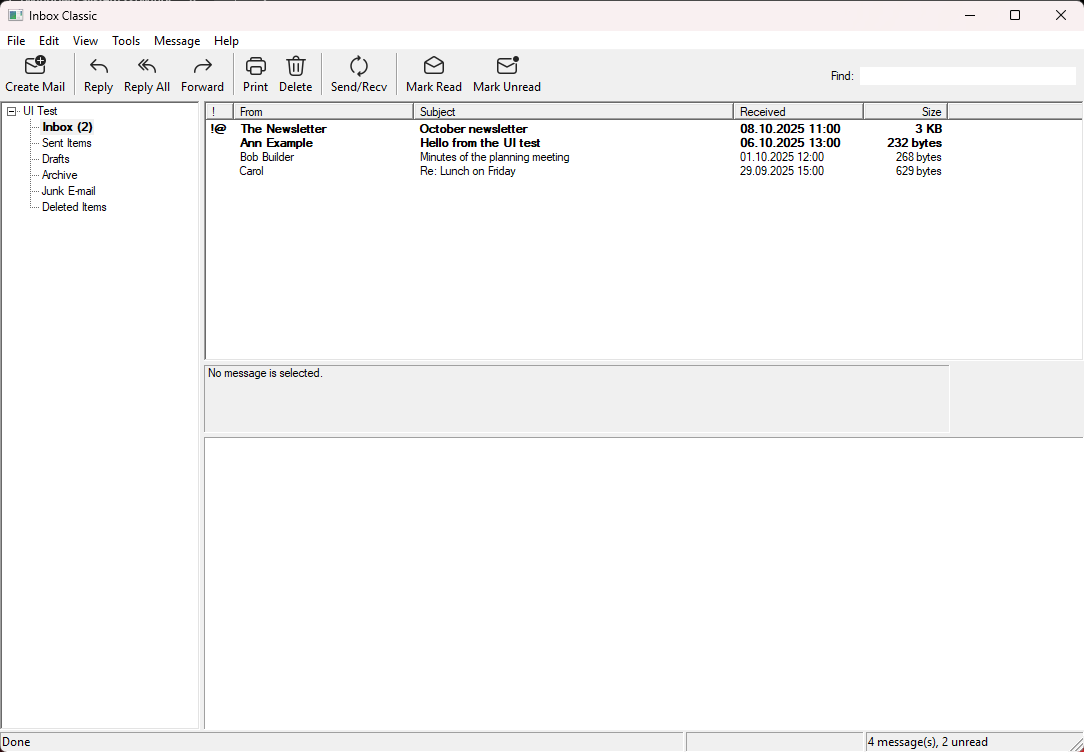
Everything a mail program should do, and nothing else
No feeds, no assistants, no ads. A fast, small program that reads and writes your mail, with the shortcuts and the layout you already know.
Any IMAP account
Gmail, Outlook.com and Microsoft 365 add with one click on Sign in with Google or Microsoft, so your password never touches the app. For any other address the servers are found for you.
Reads offline
A copy of your mail stays on your computer, so what was downloaded opens instantly, even without a connection.
Replies without clutter
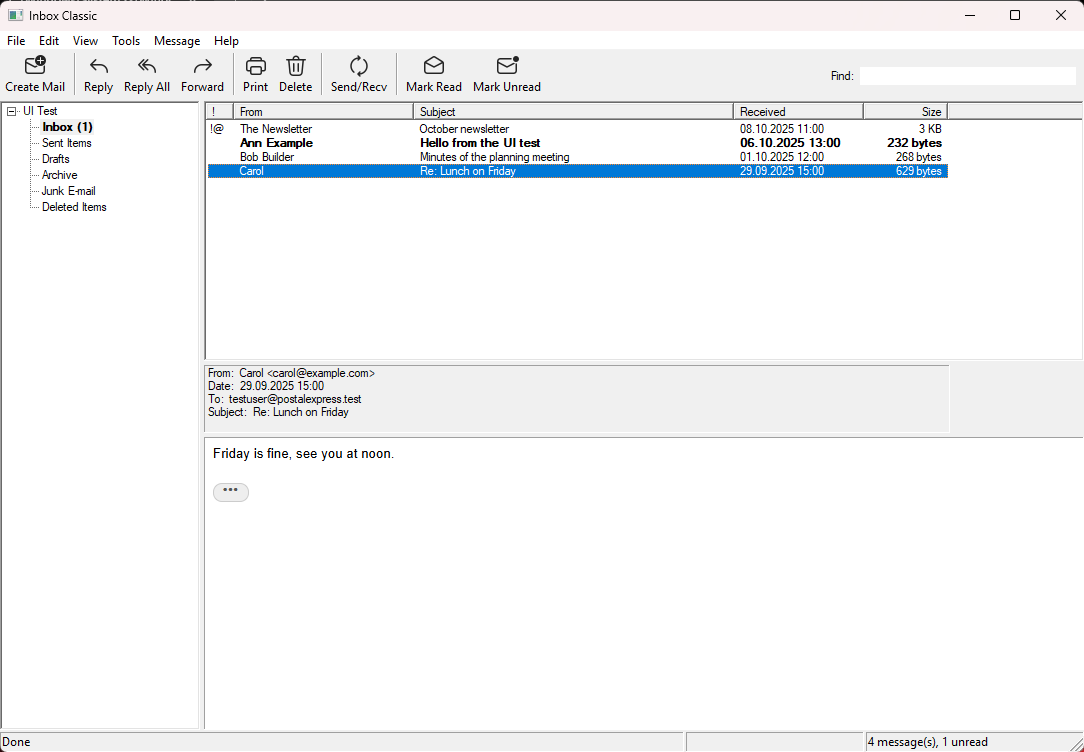
Quoted history and forwarded mail fold away behind a small button, when you read and when you reply.
A real editor
Bold, lists, colors, links and pictures when you want them. A message without formatting goes as plain text; replies follow the original.
Drafts and an Outbox
Save a message to finish later. Send sends at once; if the server can't be reached, the message waits in the Outbox and goes by itself.
Find, folders, print
Search as you type, move and flag mail, manage folders, see a message's headers, print with a full preview, save or import .eml files.
The look you remember
The folder bar, the envelopes, the paper clip and the yellow bar over blocked pictures, with crisp Fluent icons for today's screens.
Several accounts
Every account in one tree. From shows who a message goes from and switches it; Send/Recv checks one account or all.
Small and quiet
One program for Windows 11, installed per user without admin rights, with nothing running in the background.
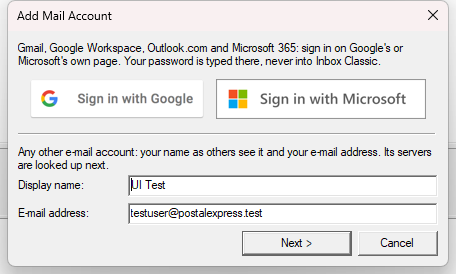
Add your account in one click
Sign in with Google or Microsoft on their own page, and the account is there, named and set up. Any other account needs only your name and address; the servers are looked up for you.
Read in peace
HTML mail keeps its layout but loses its scripts and trackers. Pictures from the internet stay blocked until you ask for them.
Long reply chains fold away, so you see what the sender actually wrote.
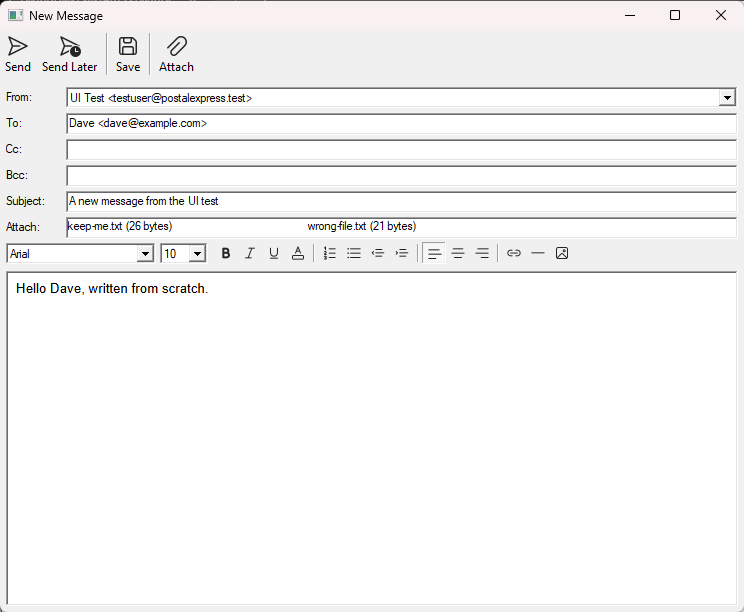
Write the way you always have
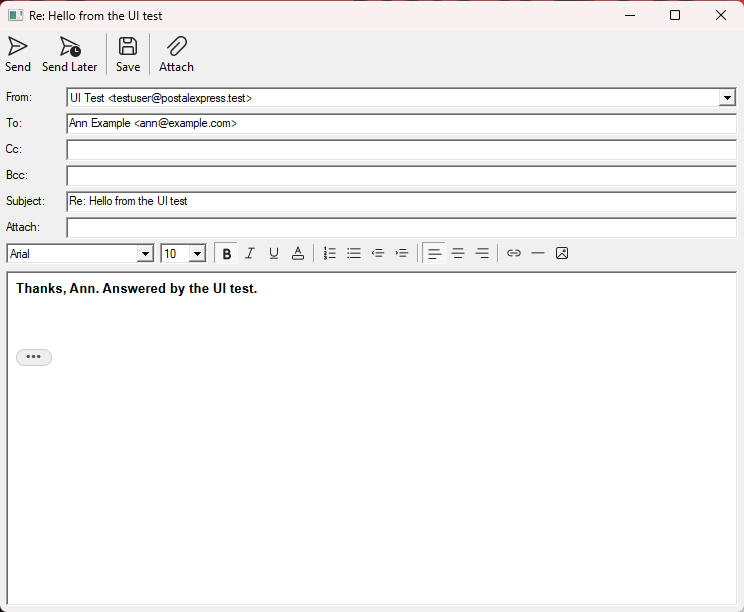
From shows which account sends the message, and lets you pick another. Attach files with the button or by dragging them in.
Ctrl+Enter sends, Ctrl+S saves the draft.
Answer with the original folded
Your reply starts at the top. The original message waits behind the three dots and is sent along, unless you open it and trim it.
Safe by design
Email is the most common way into a computer. Inbox Classic is built so a hostile message has as little to work with as possible.
- Parsed in a memory-safe coreEverything a server or sender writes is read by a Rust core; the Windows interface only shows what it has checked.
- No scripts in your mailMessages are sanitized and shown with scripts, forms, frames and remote requests turned off.
- Encryption is not optionalServers are only picked with TLS, certificates are checked against Windows, and there is no "accept any certificate" switch.
- Passwords in WindowsPasswords and sign-in tokens are kept in the Windows Credential Manager, not in a file.
- Lookups nobody can tamper withServer settings are found over DNS-over-HTTPS, so nobody on your network can hand out other servers.
- Nothing phones homeNo analytics, no accounts with us. Inbox Classic talks to your mail servers and nobody else.
Get Inbox Classic
Made by Postal Systems, the makers of Nodemailer and EmailEngine. The installer is signed, installs for you alone without admin rights, and updates in place when you run a newer one.
Download for Windows Every release lists its changes and a GPG-signed hashes.txt to check the download against.